Ever since I played Assassin’s Creed II all the way back in 2009 (how is it 16 years old?), I’ve wanted to go to Florence. I thought that the game captured the city so beautifully and the traversibility of it made it even more appealing, even if I knew I was never going to pull off the same kind of feats that the protagonist, Ezio Auditore, was capable of.
Plus, I think I’d be giving British tourists a pretty bad reputation if I suddenly started climbing drain pipes and performing leaps of faith from their cathedral roofs.
As a teacher, we’re pretty lucky in that we get a hell of a lot of time off each year – it works out to about 13 weeks. Don’t get me wrong: you do need it – and I certainly made the most of it last summer – but it is undeniably an exceptional perk of the job. In recent years, I’ve been trying my best to take advantage of all of this time off by exploring more of the world. While I’d have probably gone home to see family for half term in the past, this year, I finally decided to take a leap of faith (pun intended) and live out one of my travel dreams by exploring Florence, one of Italy’s most beautiful cities.
However, there had been one detail holding me back: my phone.
For the past four and a half years, I’d been using Samsung’s old flagship, the Galaxy S20, as my daily driver. You could tell that it was time to bury that phone in the ground. Its camera and various mod-cons were great, but the battery was absolutely tanked. It would go from 100% to dead by about 2pm that afternoon, after teaching all day with the phone lodged firmly in my pocket. The only thing that it was doing during that time was connecting to my Galaxy Watch 4 Classic (read here about whether that’s still worth getting), so there was no real excuse – its battery was quite literally just exhausted.
So, I had a choice: upgrade or replace the battery? The latter costs about £200, so I figured that I may as well save some cash, wait until the new releases, and splurge on the latest phone. I was tempted to try an iPhone, since I also recently upgraded to (and reviewed) the iPad Air 6 for personal use, and the iPad 10 for work (also reviewed here), equipped with the Logitech Combo Touch (one more review here…).
I could have swapped to Apple’s ecosystem quite easily, but it was the features revealed at Samsung’s Unpacked event that made my purchase guaranteed.
And, you know what? The Samsung Galaxy S25 Ultra is the perfect travel companion for language translation, photography, and AI-powered exploration. Here’s a review of how I used the Samsung Galaxy S25 Ultra in Florence.
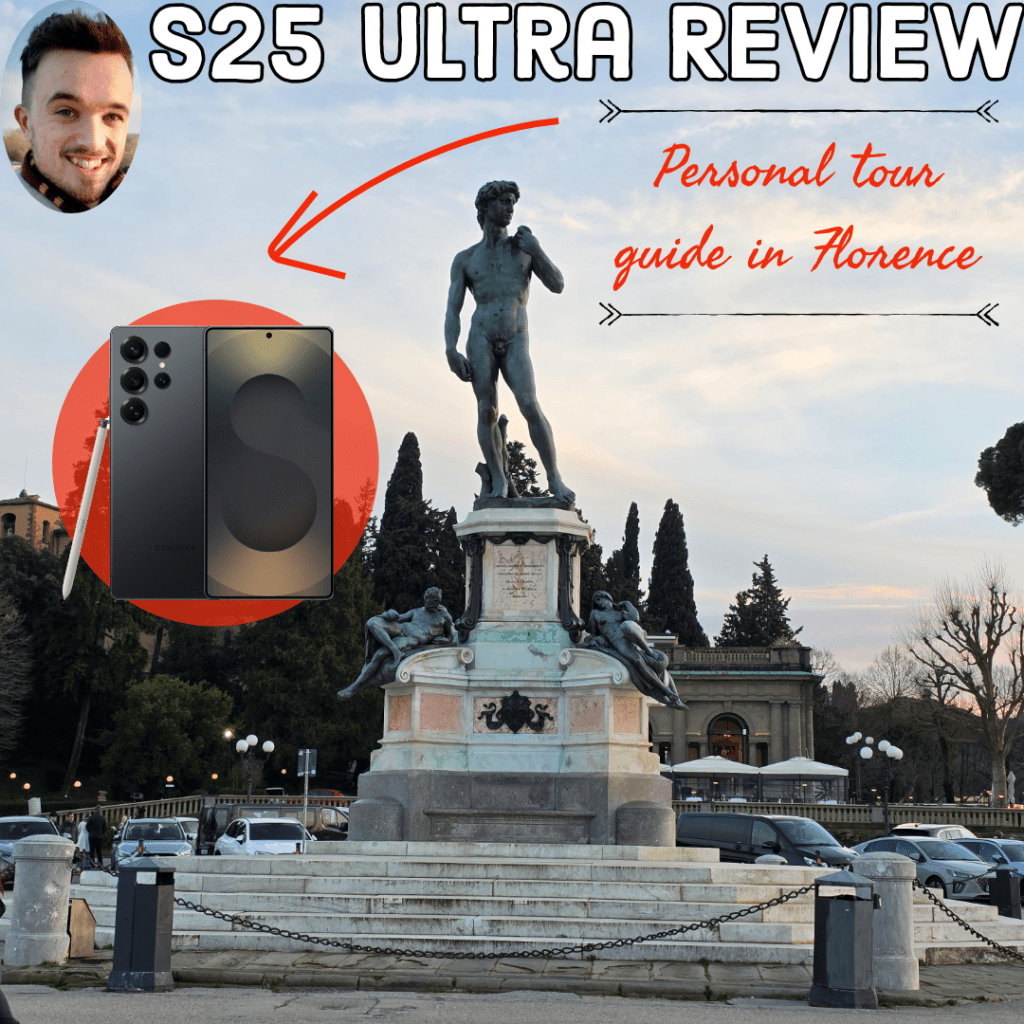
Capturing Florence: the power of the S25 Ultra camera
Florence is beautiful. I spent pretty much the entire trip outside of my hotel so that I could capture the city during the day and at night.
And it looks great on camera.
On day one, I walked down the River Arno and experienced the Ponte Vecchio. Fair warning: this is one of the busier bridges that you can ever hope to cross. It’s laden with jewellers and fancy watch-makers; I wasn’t interested in any of this, but I was intrigued by its sights and sounds, and simply experiencing one of Italy’s most famous river crossings.

I then proceeded to spend about 5 hours in the Uffizi Gallery. Initially, I read absolutely everything that I could, but when the upstairs opened up into a corridor full of statues and paintings, I realised that I’d simply run out of time. My main tip for visiting Florence is that, if you try to read everything about every piece of artwork that you encounter, you will get overwhelmed: there are only so many Madonna and Child paintings that I can properly pay attention to without switching off.
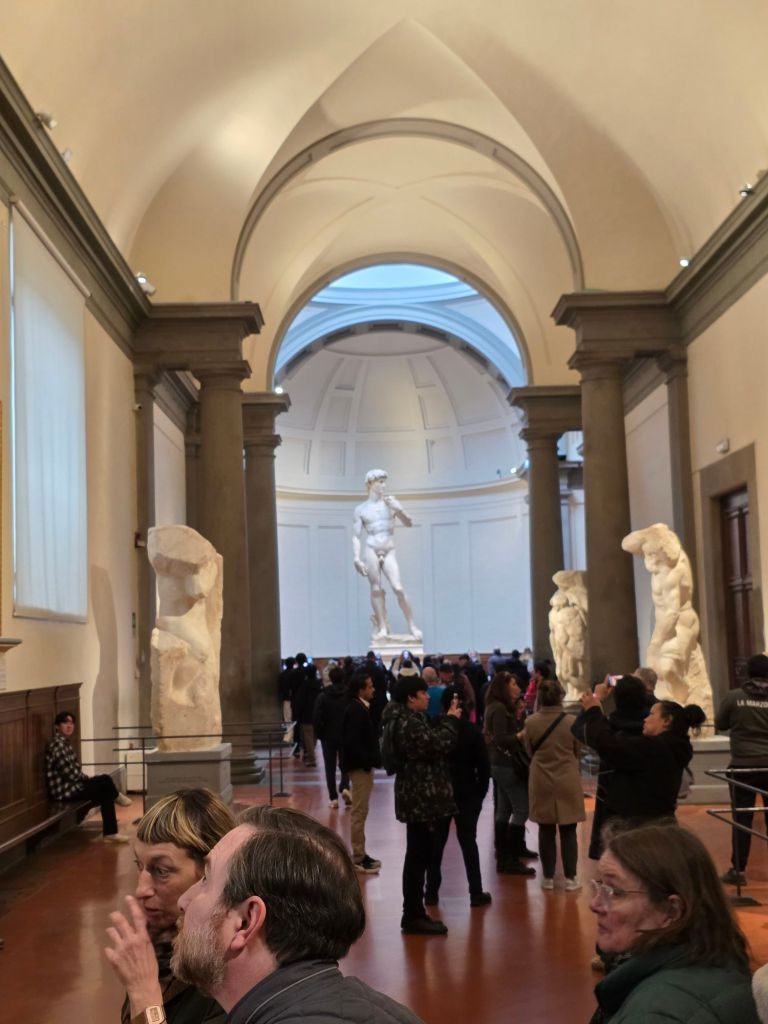
However, it was objectively very cool to see lots of art by some really famous artists, including Leonardo Da Vinci, Michelangelo, Donatello and Rafael (I was also on a quest to collect all of the ninja turtles). The most imposing piece of art was the statue of David in the Accademia Gallery, where it appears, in front of you, at the very end of a corridor, under a single strobe of light.
When I was fully finished with reading about art, the trip that I took to Pitti Palace, the former home of the Medici family, who ruled the city for about two hundred years, was a welcome break. There was a ton of artwork in there as well, but this acted more like an experience for you to walk through and wrap yourself in, as it was mostly devoid of descriptions. The idea, I think, was that you should experience this palace in the same way that the Medicis would have done, which felt more inviting. They also had a massive garden outside – the Boboli Gardens – which you could easily spend a whole day in.

My final highlight was getting to climb all the way to the top of the Duomo. If you’re unaware, this is a massive cathedral at the heart of Florence, built to impress during the Renaissance. You spend 15 minutes climbing to the very top – about 460 individual steps – before the view of the entire city greets you.
Wow. It was breathtaking. My only gripe, though, was that any photos from the Duomo could not possibly include the Duomo in the backdrop. It’s such an iconic part of Florence that you really do miss out, which made me almost prefer taking photos from a nearby landmark – the Arnolfo Tower – which you could also climb (and experience high winds at the very top).

The S25 Ultra’s impressive 200MP camera helped me to capture all of these views in a way that my S20 never could have. Even during low light, or at nighttime, the camera helped to highlight the city in all of its beauty. It does also have a very powerful zoom (up to 100x), which I might not have much use for, but knowing that I can zoom in that far and still have a pretty clear image bodes well for an unzoomed-in image, where details look even crisper.
My own personal interpreter
Going into Florence, I knew a few key phrases, like grazie, ciao and buena nota, but was a little nervous about being able to speak to the locals. Thankfully, English is very common across the city, but I don’t think that this should be an excuse for us to never try our best and give the language a go.
Usually, I would spend a few weeks prior to a trip doing a short course on Duolingo, which is what I did before going to Japan last summer. Either that, or I’d stuck to Fluenday, a cheaper alternative, or Lingopie, the language-learning version of Netflix. However, this time, I wanted to put the interpreter feature on my S25 Ultra to the test.
I’ll be totally honest with you: I actually didn’t use it nearly as much as I thought I’d need to. When all of the locals spoke to me in English, it felt like trying to interpret their Italian would be a bit redundant. Even at the local family-run trattorias, there wasn’t any language barrier.
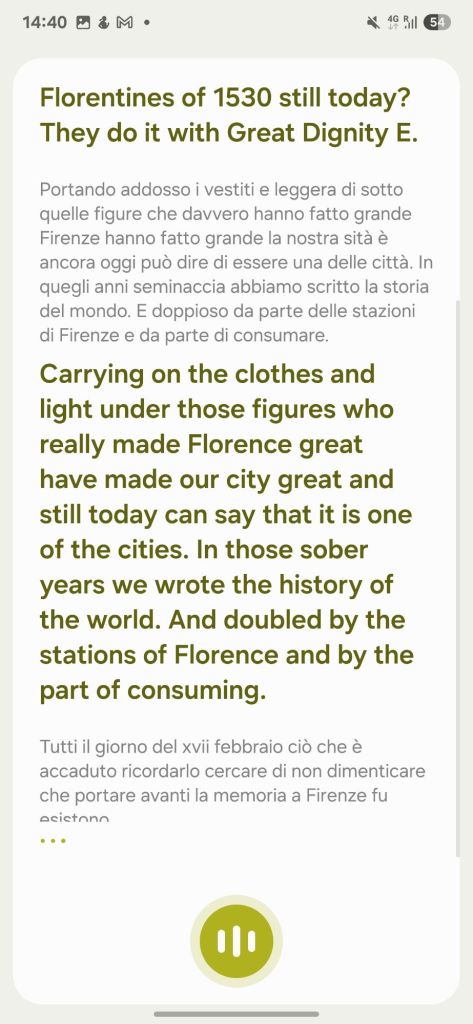
However, this all changed when exploring the Santa Croce Cathedral. While walking around, I heard drumming in the distance, when the huge doors then swung open to reveal a marching band of people coming for some sort of parade. They all entered the church and we sat down to listen. I turned on the interpreter mode on my S25 Ultra, and it gave me an, admittedly, very chaotic, live, translation. I could work out that they were from some sort of football club, celebrating their various contributions to it. My thoughts were confirmed when they left the cathedral and proceeded to play a medieval/renaissance version of the game, which involves wrestling each other to the floor while your teammates try to score.

Sounds like my kind of football.
I also used Google Lens to translate written pieces, such as statue inscriptions, to give me a better understanding of its history. But the most useful part of the S25 Ultra came from its new AI features.
S25 Ultra as my AI-tour guide
If I had gone with a tour or audio guide to every single landmark, I’d have spent a lot of extra money on my trip. Instead, I decided to experience the artwork in my own time, absorbing details by reading and observing.
Sometimes, though, that wasn’t enough, and I wanted more detail. So, I held the lock button on my phone to activate Gemini, Google’s AI, and told it that I was in a certain place, and wanted a tour of it to learn more. This would give me a brief overview of the landmark that I had visited. What really gave me a lot more detail was by my opening the camera, snapping a photo, and uploading that to Gemini. The AI would then analyse the photo, offer its analysis of the artwork (in terms of its composition and colouring, for example), and tell me more about its history.
This was a great way to learn more without feeling strapped down to the pace of a tour guide, which worked especially well when viewing the Statue of David, as I learned more than what a short piece of text on a placard next to it could offer.
I did dabble with the AI photo features a little, too. While I did use it for fun to make one photo very silly (I massively increased my height in the Uffizi), the best feature was using the integrated S-Pen stylus to precisely circle something that was in a photo that I didn’t want. For example, if the side of somebody’s head was visible in a photo of my favourite piece of art, then I’d circle that. With a single tap, I could then remove it, leaving the artwork as the centerpiece. I found this very useful when taking photos in the crowded galleries, and somebody inevitably got in the way.

I actually also used ChatGPT to create an itinerary for this trip before getting the new phone and, while I didn’t stick to it firmly, it was a really useful outline – suggesting restaurants and cafes to go to, too. I did visit one AI-suggested cafe – the Ditta Artigianale, a Third Wave Artisanal cafe – and had the best coffee of my life.

However, I do think that we should be careful about over-using AI in this way. There’s the whole ethical dilemma that comes with it – which I’ve explored more in this post, linked here, which focuses on the ethics of AI in teaching.
Quick caveat, too: as useful as AI can be, I don’t think it’ll ever fully capture the true experience of an expert telling you the stories of this palazzo, or that statue, or how this family used this tower. As a tour guide replacement, I don’t think the S25 Ultra cuts it; but as a trip enhancer, it was really useful for learning more.
Navigating Florence on an all-day battery
Florence is a very walkable city. That’s what everybody was telling me before I went and even when I arrived – and they were right. This was very different to exploring Japan, where I had to make heavy use of their tube stations. As a result, I was getting around 20,000 steps a day, but needed to use my S25 Ultra to navigate the various side streets. Don’t get me wrong: Florence is not a confusing place to explore, and its many landmarks make it even easier to walk through, but when you’ve got a timed entry ticket to the Duomo at 9am, it takes twenty minutes to walk there, and you’ve not had breakfast yet, you need to know whether you’ve got time to pop into a coffee shop en route.

So, using the S25 Ultra almost consistently throughout the day for live translation, AI-powered search for historical context, 200 MP photos and Google Maps to get around left me with about 20% by the end of the day, after starting my morning on 100%. Then, if I needed to top it up before leaving the hotel for dinner in the evening, the fast charging left me confident that this wouldn’t be an issue.
On a normal, not-on-holiday day, though, I’m ending the day with anywhere between 40-50% left. It’s like night and day compared to my old S20, which I’d have heavily relied on a portable battery for.
Finally, I’ve never had a phone that’s been 5G-capable. I don’t have a lot to say about this, other than that it was exceptionally reliable for ultra-fast internet speeds wherever I was.
Should you buy the S25 Ultra?
Would I recommend the Samsung Galaxy S25 Ultra?
In a heartbeat.
Having this ultra-powerful phone made for the perfect travel companion whilst away. It meant that I could happily get to the end of the day, confident that I’d still be able to take plenty of pictures to show my friends and family when returning home. While you could happily get away with ordering the less powerful S25 or S25+, I’m glad that I went for the most powerful model this time around. Samsung has promised seven years of software updates for this series of phones, meaning that it should be future-proofed for years.
If you’d like to pick up your own S25 starter pack, here are my Amazon affiliate links, which may generate a small kickback to me without extra cost to you:
Mag-safe Spigen case with kickstand
Spigen tempered glass screen protector
Have you ever relied on your phone while travelling? Or would you recommend a different device as the ultimate travel companion? Let me know in the comments below.
I’ll end with one of my favourite photos of Florence, captured only on the Samsung Galaxy S25 Ultra.

While you’re here, you might also like…
- Reclaim your evenings: A Busy Teacher’s Guide to Healthy Meal prep
- 16 incredible books to read in 2026
- How to actually achieve your goals in 2026: The Anti-Resolution toolkit
- The First 90 Days: How to survive (and thrive) as a new Head of History
- 7 Brutal Questions to Course-Correct your Life before 2026
Follow my socials to see where I travel to next.
 Hardly Hamilton
One thought on “Can AI Replace a Tour Guide? How I Used the S25 Ultra for My Florence Trip”